Fastmail vs Proton Mail 2026: Which Private Email Is Better?
Fastmail vs Proton Mail compared for private email, custom domains, business use, encryption, pricing, storage, apps, and which provider to choose in 2026.
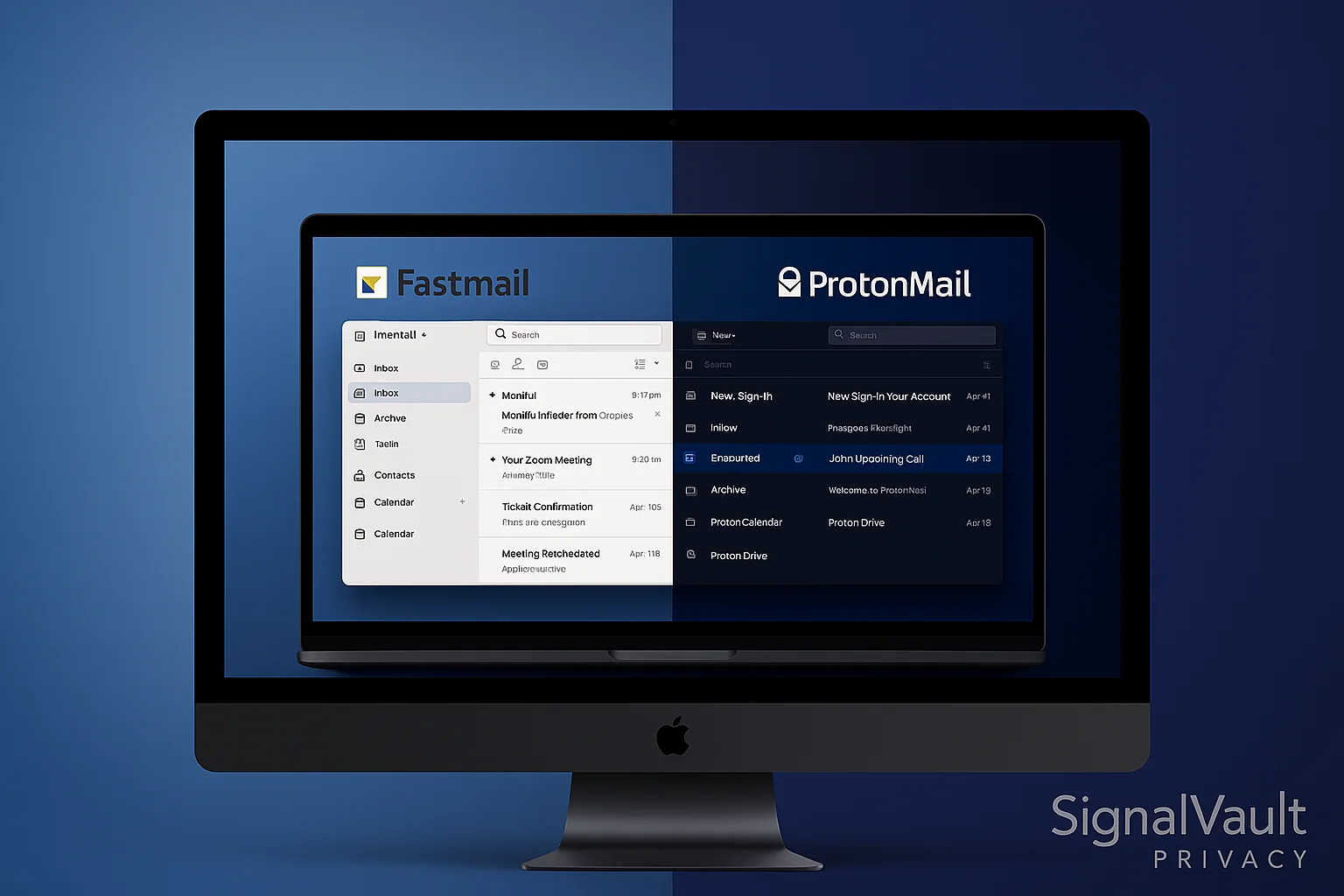
Fastmail and Proton Mail take very different approaches to secure email. Fastmail is a private productivity inbox with excellent apps, search, calendars, custom domains, and normal email-client support. Proton Mail is a privacy-first encrypted mailbox built around zero-access encryption and Swiss jurisdiction.
Here is the short version: choose Fastmail if you want the better everyday replacement for Gmail or Outlook. Choose Proton Mail if your highest priority is end-to-end encrypted email, even if that means a slower and less flexible workflow.
If you only need one answer to Fastmail vs Proton Mail, Fastmail is the safer default for most paid private email buyers. Proton Mail is the safer default for people who specifically need encrypted email and are willing to accept a more constrained workflow.
| Choose… | If your main problem is… | Best next step |
|---|---|---|
| Fastmail | Replacing Gmail, Outlook, or Google Workspace with a private daily inbox that still feels normal. | Start a Fastmail trial and test your domain, aliases, calendars, search, and phone app. |
| Proton Mail | Moving sensitive personal or client communication into a privacy-first encrypted mailbox. | Start with Proton Mail and decide whether Bridge/app workflow tradeoffs are acceptable. |
Quick Verdict: Fastmail for Daily Email, Proton Mail for Maximum Privacy
If you are comparing Fastmail vs Proton Mail because you are ready to move your real inbox, the better choice depends on what you refuse to compromise: normal daily email workflow or maximum encryption.
Best default paid pick: Fastmail
Fastmail is the better choice for daily email, custom domains, shared mailboxes, calendars, search, and people who still want to use Apple Mail, Outlook, or another email client.
- ✓ Better productivity features: calendars, contacts, search, and filters
- ✓ Custom domains, masked email, and shared business addresses
- ✓ Stronger storage value for most paid users
- ✓ Better mobile apps and simpler setup
- ✓ Works cleanly with third-party email apps
Best for Privacy: Proton Mail
Proton Mail is the better choice when encryption is the point. It protects mailbox contents with zero-access encryption and automatically encrypts mail between Proton users.
- ✓ Zero-knowledge encryption (even ProtonMail can't read your emails)
- ✓ End-to-end encryption between Proton Mail users
- ✓ Swiss jurisdiction (privacy-friendly laws)
- ✓ Free plan available
- ✓ Good fit for sensitive personal communication
Bottom line: Fastmail wins for most paid email buyers because it is easier to live in every day. Proton Mail wins when encrypted email is more important than workflow speed.
Fastmail vs Proton Mail Overview
| If you need… | Better pick | Why |
|---|---|---|
| The best Gmail or Outlook replacement | Fastmail | Better apps, search, calendars, contacts, and email-client support. |
| A custom-domain inbox for work | Fastmail | Easier shared addresses, domain management, and team workflows. |
| End-to-end encrypted email | Proton Mail | Encryption is built into the product and automatic between Proton users. |
| A free privacy email account | Proton Mail | Proton has a real free tier; Fastmail is paid after the trial. |
| The smoothest day-to-day inbox | Fastmail | Fewer workflow tradeoffs and better conventional email compatibility. |
Fastmail is based in Australia and offers excellent email features with strong security. It emphasizes productivity tools and smooth integration with existing workflows.
ProtonMail is based in Switzerland and uses end-to-end encryption by default. It prioritizes maximum privacy with zero-knowledge architecture.
Next step
Already leaning toward Proton Mail?
Use the setup checklist before you move your real inbox. If you still need a faster Gmail replacement, compare the workflow tradeoffs first.
Inbox.com vs Fastmail vs Proton Mail
If you found this comparison while searching for Inbox.com vs Fastmail, the decision is usually simpler than the Proton Mail comparison. Fastmail is the stronger paid email upgrade for most people who want custom domains, aliases, calendars, contacts, filters, search, and normal email-client support.
| Need | Best fit | Why |
|---|---|---|
| Replace a basic inbox with a polished daily email service | Fastmail | Better productivity workflow, custom domains, masked email, contacts, calendars, and strong search. |
| Keep using conventional email apps | Fastmail | IMAP/SMTP and third-party email-client support are central to the product. |
| Move sensitive conversations into an encrypted mailbox | Proton Mail | Better if zero-access encryption matters more than traditional inbox flexibility. |
Inbox.com can work for basic email, but it is not the pick I would use for a serious private inbox, business domain, or long-term Gmail replacement. Start with Fastmail if daily workflow is the problem. Start with Proton Mail if encryption is the reason you are leaving mainstream email.
Security Comparison
Encryption Standards
Fastmail:
- TLS encryption for data in transit
- Encrypted storage at rest
- No end-to-end encryption by default
- Australian jurisdiction (Five Eyes)
ProtonMail:
- End-to-end encryption by default
- Zero-knowledge architecture
- Swiss jurisdiction (privacy-friendly)
- Open-source encryption
Privacy Protection
Fastmail:
- Collects minimal metadata
- No advertising or tracking
- Transparent privacy policy
- Subject to Australian data laws
ProtonMail:
- Zero-knowledge encryption
- No metadata collection
- Swiss privacy laws protection
- Anonymous account creation possible
Feature Comparison
Email Features
Fastmail:
- Custom domains support
- Advanced filtering rules
- Calendar and contacts integration
- Excellent search capabilities
- Mobile apps for all platforms
- 60GB total storage on Individual and Standard plans
- 150GB total storage on Professional
ProtonMail:
- Custom domains support
- Basic filtering options
- Calendar and contacts (separate apps)
- Limited search capabilities
- Mobile apps available
- 15GB total storage on Mail Plus
- 500GB total storage on Proton Unlimited
User Interface
Fastmail:
- Clean, modern interface
- Excellent mobile apps
- Fast loading times
- Intuitive navigation
- Customizable themes
ProtonMail:
- Clean, minimalist interface
- Functional mobile apps
- Slower loading times
- Basic customization
- Focus on simplicity
Integration Options
Fastmail:
- IMAP/SMTP support
- Works with email clients
- API access available
- Third-party integrations
- Active Directory support
ProtonMail:
- Limited IMAP support (paid plans)
- Bridge application for clients
- No API access
- Limited integrations
- No Active Directory support
Pricing Comparison
Fastmail Pricing
Individual: $6/month, or $5/month when billed yearly
- 60GB total storage
- Custom domains
- Masked Email
- Calendar and contacts
- 30-day free trial
Business Basic: $4/user/month, or $3/user/month when billed yearly
- 6GB total storage per user
- Shared addresses
- Shared calendars
- Shared company address book
Business Standard: $6/user/month, or $5/user/month when billed yearly
- 60GB total storage per user
- Custom business addresses
- Scheduled Send and Snooze
- Third-party email app support
Business Professional: $10/user/month, or $9/user/month when billed yearly
- 150GB total storage per user
- Email retention archive
- More storage for compliance-heavy teams
ProtonMail Pricing
Free: $0/month
- Up to 1GB dedicated Mail storage after setup actions
- 150 messages/day
- Basic features
Mail Plus: listed by Proton at €4.99/month, or €3.99/month when billed yearly
- 15GB total storage shared with Proton Drive
- 10 email addresses
- 1 custom email domain
- Unlimited folders, labels, and filters
- Proton Mail Bridge support for email clients
Proton Unlimited: listed by Proton at €12.99/month, or €9.99/month when billed yearly
- 500GB total storage
- 15 email addresses
- 3 custom email domains
- Proton VPN, Proton Pass, Proton Drive, and other Proton services
Pros and Cons
Fastmail Pros
Excellent Usability Fastmail offers the best user experience among secure email providers. The interface feels modern and responsive with excellent mobile apps.
Strong Features Advanced filtering, excellent search, and comprehensive calendar/contacts integration. Works smoothly with existing workflows.
Good Support Excellent customer support with detailed documentation and responsive help team.
Reliable Performance Fast, reliable email service with minimal downtime and excellent uptime guarantees.
Fastmail Cons
Limited Privacy No end-to-end encryption by default. Based in Australia, which may concern privacy-focused users.
Higher Pricing No permanent free plan. Fastmail is a paid service after the trial, while Proton Mail lets privacy-curious users stay on a free account.
Metadata Collection Collects some metadata for service operation. Minimal, but differs from ProtonMail’s zero-knowledge approach.
ProtonMail Pros
Maximum Privacy True end-to-end encryption with zero-knowledge architecture. Operates under Swiss privacy laws.
Strong Security Encryption standards exceed most email providers. Uses open-source encryption that has been independently audited.
Free Tier Free plan with basic features. Test the service before committing to paid plans.
Privacy-First Design Prioritizes privacy over convenience and minimizes data exposure compared with mainstream email providers.
ProtonMail Cons
Limited Features Basic email features compared to Fastmail. Lacks advanced filtering and search capabilities.
Poor Integration Doesn’t integrate well with existing email workflows. Requires the Bridge application for email clients.
Slower Performance Encryption creates slower loading times and larger file sizes. Prioritizes security over speed.
Limited Storage Less storage than Fastmail for many paid email-only workflows. Proton Mail Plus includes 15GB shared with Proton Drive, while Fastmail’s Individual and Standard plans include 60GB total storage.
Use Case Recommendations
Choose Fastmail If:
Business Users Fastmail excels for business email with excellent productivity features and integration options. The service works well with existing workflows.
Productivity Focus Fastmail provides the best user experience and feature set. Choose Fastmail if you prioritize usability over maximum privacy.
Team Collaboration Fastmail offers better team features with shared calendars and contacts. The service supports multiple users effectively.
Email Client Users Fastmail works seamlessly with email clients through IMAP/SMTP. Choose Fastmail if you prefer using desktop email applications.
Choose ProtonMail If:
Maximum Privacy ProtonMail provides the strongest privacy protection available. Choose ProtonMail if privacy is your top priority.
Personal Use ProtonMail works well for personal email with strong security features. The free tier allows testing without commitment.
Journalists/Activists ProtonMail’s zero-knowledge architecture suits users requiring maximum privacy protection. The service protects against surveillance.
Swiss Jurisdiction ProtonMail’s Swiss jurisdiction provides strong privacy protection under Swiss law. This appeals to users concerned about government surveillance.
Security Assessment
Fastmail Security
Strengths:
- Strong TLS encryption
- Encrypted storage
- Regular security audits
- Transparent privacy policy
- Good customer support
Weaknesses:
- No end-to-end encryption
- Australian jurisdiction
- Metadata collection
- Subject to government requests
ProtonMail Security
Strengths:
- End-to-end encryption
- Zero-knowledge architecture
- Swiss jurisdiction
- Open-source encryption
- Anonymous accounts possible
Weaknesses:
- Slower performance
- Limited features
- Poor integration
- Smaller storage capacity
Final Verdict
For Business Users: Fastmail offers better productivity features and integration options. It works well for business email with excellent support and reliability.
For Privacy-First Users: ProtonMail offers maximum privacy protection with end-to-end encryption. It prioritizes security over convenience.
For Personal Use: Both work well for personal email. Fastmail offers better features while ProtonMail offers stronger privacy.
For Teams: Fastmail offers better team collaboration features with shared calendars and contacts. ProtonMail focuses on individual privacy protection.
Fastmail and ProtonMail serve different user needs. Choose based on priorities: productivity and features (Fastmail) or maximum privacy (ProtonMail). Both provide strong security compared to mainstream email providers.
What About Inbox.com vs Fastmail?
If you arrived here comparing Inbox.com vs Fastmail, use a different decision frame. Fastmail is the stronger choice when you need a serious paid inbox with custom domains, masked email, calendars, contacts, strong search, and reliable support. It is built for people replacing Gmail or Outlook with a private email service they can use every day.
Inbox.com is more of a traditional email-provider comparison. It can make sense if you only need basic email, but it is not the cleaner pick for privacy-focused buyers, custom-domain workflows, or business email. For most readers choosing a secure email provider, the more useful comparison is still Fastmail vs Proton Mail: Fastmail for productivity and Proton Mail for maximum encryption.
For the broader shortlist, start with our secure email providers guide and then choose whether your priority is usability, end-to-end encrypted email, or business migration. If Fastmail’s workflow looks right but encryption is the blocker, use the Fastmail alternatives guide to compare Proton Mail, Tuta, StartMail, and Hushmail.
My recommendation
For most people leaving Gmail or Outlook, start with Fastmail. It is private enough for everyday email, much easier to use as a primary inbox, and stronger for custom domains, apps, calendars, search, and work email.
Complete Your Privacy Setup
Secure email providers protect your messages, but a VPN protects your entire internet connection. For complete privacy protection, combine your secure email provider with a trusted VPN service.
Get NordVPN Now → - Encrypt all internet traffic and hide your IP address
Alternative Options
Tutanota: Free tier with end-to-end encryption StartMail: Privacy-focused with custom domains Posteo: German provider with strong privacy Mailbox.org: German provider with good features
Consider your specific needs when choosing between Fastmail and ProtonMail. Both services provide excellent security compared to mainstream email providers.
Complete Privacy Protection: Secure email protects your messages, but a VPN encrypts your entire internet connection. Get NordVPN Now → Hide your IP address, encrypt all internet traffic, and unblock content worldwide - just $3.39/month with 30-day money-back guarantee. Combine secure email with NordVPN for maximum privacy.
FAQs
Which is more secure: Fastmail or ProtonMail?
ProtonMail is more secure for privacy. It uses end-to-end encryption and zero-knowledge architecture, meaning even ProtonMail cannot read your emails. Fastmail uses TLS encryption and encrypted storage but doesn't offer end-to-end encryption by default.
Can I use Fastmail or ProtonMail with Outlook or Apple Mail?
Fastmail works seamlessly with email clients via IMAP/SMTP. ProtonMail requires Proton Bridge (paid plans only) to use desktop email clients. Fastmail offers better integration with existing email workflows.
Which is better for business use?
Fastmail is better for business use. It offers superior productivity features, team collaboration tools, shared calendars, and better integration with business workflows. ProtonMail focuses on individual privacy protection.
Inbox.com vs Fastmail: which is better?
Fastmail is the better choice for most paid email buyers. It has stronger custom-domain support, masked email, calendars, contacts, search, third-party email app support, and business workflows. Inbox.com can work for basic email, but Fastmail is the cleaner Gmail or Outlook replacement.
Does Fastmail have end-to-end encryption?
No, Fastmail does not offer end-to-end encryption by default. It uses TLS encryption for data in transit and encrypted storage at rest. For end-to-end encryption, choose ProtonMail.
Which is cheaper: Fastmail or ProtonMail?
Proton Mail is cheaper if you need a free account. For paid daily email, Fastmail is often the better storage value: its Individual and Standard plans include 60GB total storage, while Proton Mail Plus includes 15GB shared with Proton Drive. Fastmail Business Basic starts at $3/user/month when billed yearly.
Which has better mobile apps?
Fastmail has better mobile apps with faster performance and more features. ProtonMail's mobile apps are functional but slower due to encryption overhead. Both offer iOS and Android apps.
How does ProtonMail compare to Tutanota?
In a ProtonMail vs Tutanota comparison, Proton Mail usually offers better apps and broader ecosystem features, while Tutanota encrypts more metadata and has a strong privacy-first design. Both are better privacy choices than mainstream email providers.
Which secure email provider is best for privacy?
For the best private email provider, Proton Mail offers stronger privacy protections with zero-knowledge encryption and Swiss jurisdiction. Fastmail provides good privacy with better features. For users seeking the most secure email service, Proton Mail's encryption architecture provides maximum protection, while Fastmail balances privacy with usability.
Disclosure: This article may contain affiliate links. If you purchase through these links, we may earn a commission at no extra cost to you.